


Have you ever wondered how those professional photographers, like Trey Ratcliff, take amazing looking HDR photographs that are so rich in colors and detail? Well, they don’t.
That’s right! The photos they take looks just like the ones you take. And that HDR look is all part of the Photoshop magic they do afterward.
Although, it’s easier said than done. Because creating an HDR effect on Photoshop takes a lot of work. But, if you’ve been looking for an easier way to make your photos look just as good as those of professional photographers, you’re in for a treat.
ON1 Effects 10.5 Free is a cool new plugin that will allow you to give your photos that HDR look and do so much more, with just a few simple clicks.
Here are some of the amazing things you can do with this Photoshop plugin.
1. Give Your Photos An HDR Look
No need to waste hours of time creating adjustment layers, optimizing curves or hue/saturation to bring an HDR effect to your photos. Now you can create instant HDR effects with ON1 Effects 10.5 Free.

And no, you don’t have to be an expert graphic designer to use this plugin.
ON1 Effects 10.5 Free is suitable for both newbies and experts. The HDR Look Filter that comes with this plugin lets you enhance your photos in just a matter of seconds. Not only that, you can also customize the filter to optimize the effect to your preference as well.
2. Vignette, Vintage, And More Great Effects
ON1 Effects 10.5 Free comes loaded with 10 adjustable filters, including two of the most popular effects among photographers: Vignette and Vintage.
That’s not all. The plugin also includes plenty of presets to help you work on different types of photo genres, including architecture, cinematic, hipster, urban, weddings, and many more.
You’ll have lots of options to play with.
3. Create Unique Effects By Stacking And Blending Filters
A downside to using the default Photoshop filters is that when you apply several filters at once, there’s no way for you to go back and adjust the settings of the previous filters.
But, it’s not a problem when you’re using ON1 Effects 10.5 Free.
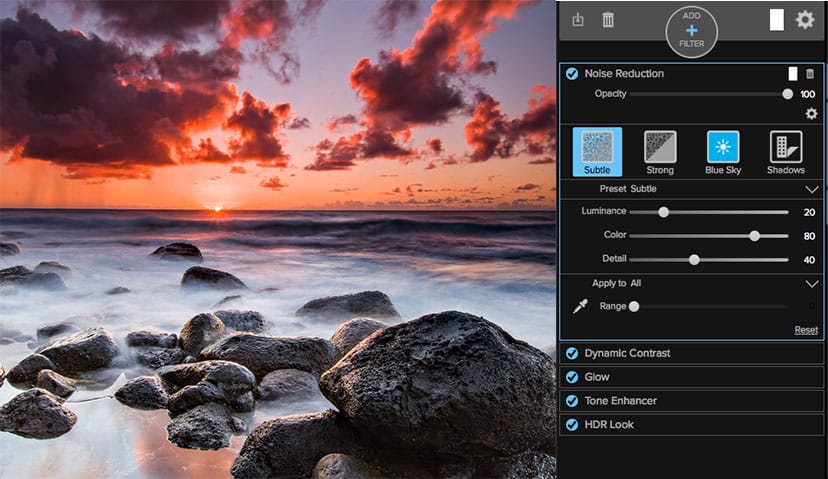
With ON1 Effects 10.5 Free, you can stack filters on top of one another and blend them together to achieve unique effects and styles of your own. Best of all, you can go back and the adjust the settings of each filter at any time you want.
4. Awesome Tools To Make Your Work Easier
ON1 Effects 10.5 Free also comes with a set of unique tools that makes your photo editing workflow much simpler and save your valuable time.
Some of them includes:
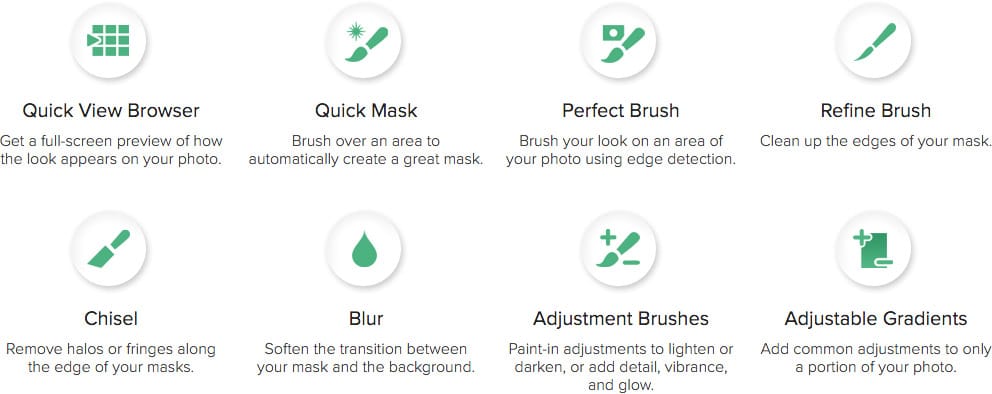
- Quick Mask Brush – You can use this tool to just brush over an area on your photograph to automatically create amazing masks instantly.
- Refine Mask Brush – With this brush, you can clean up the edges of your mask quite easily.
- Chisel Mask Brush – Quickly remove the halos or fringes along the edges of your mask using this handy tool.
- Adjustment Brushes – Add detail, vibrance, glow to your images or even adjust the lightness and darkness by simply painting over an area with these brushes.
- Perfect Brush – This brush uses edge-detecting to apply the effect to a specific area on your images.
5. Add Effects To Only Parts Of Your Photos
Unlike Photoshop’s default filters, you don’t have to run back and forth to create selections to apply your filters to only specific parts of your photos when using ON1 Effects 10.5 Free.
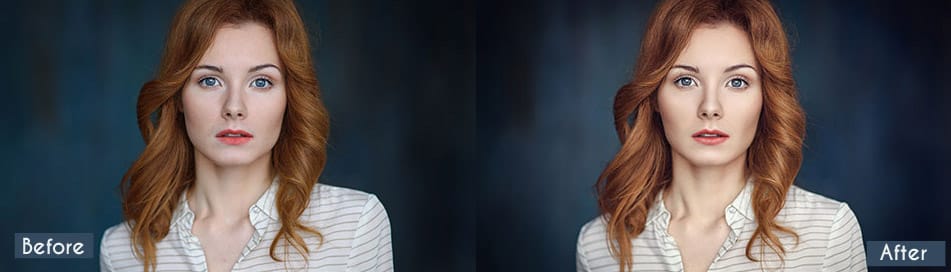
As mentioned above, the plugin has a selection of masking brushes that lets you create smooth masks to apply your filters and effects to certain areas of your photographs.
6. Produce Incredible B&W Effects
Making your photos look Black and White in Photoshop is pretty easy. But, those methods are for the amateurs.
When you’re using ON1 Effects 10.5 Free, you can create stunning B&W effects, like the ones you see in art galleries, without any trouble.
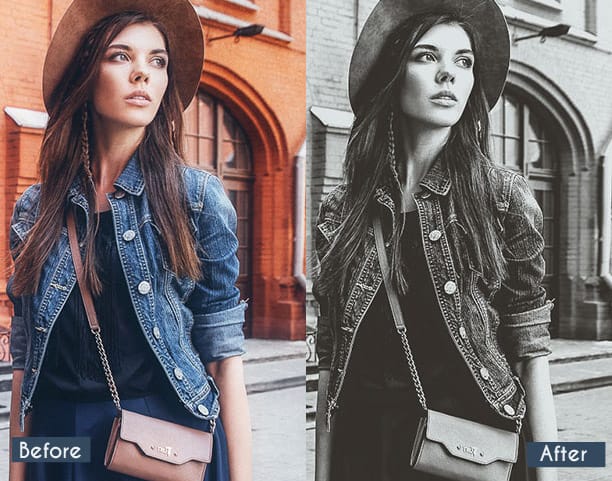
The Perfect B&W filters in ON1 Effects 10.5 Free allows you to apply great effects, like Dynamic Contrast, to your monochrome photos to generate astonishing results.
These are only just a few of the awesome things you can do with ON1 Effects 10.5 Free. You’ll be amazed to see how easy it is to use this plugin. Go ahead, try it out. After all, it’s FREE!


