


Changing the ISO settings of the camera is one of the tricks expert photographers use to take crisp clear photographs in low light conditions. Unfortunately, using higher levels of ISO has an annoying downside: It adds more noise to the photographs.
Sure, Photoshop does have some basic filters that let you get rid of the noise in photos. But the adjustment settings on those filters are very limited, especially when it comes to high ISO photos.
This is why many professional photographers are now using this incredible new plugin called Topaz DeNoise to clear out the noise.
What Is Topaz DeNoise?
Just as the name describes, Topaz DeNoise is a noise detection and removal plugin for Photoshop, which allows you to easily get rid of the noise in your photos without damaging the quality of the image.
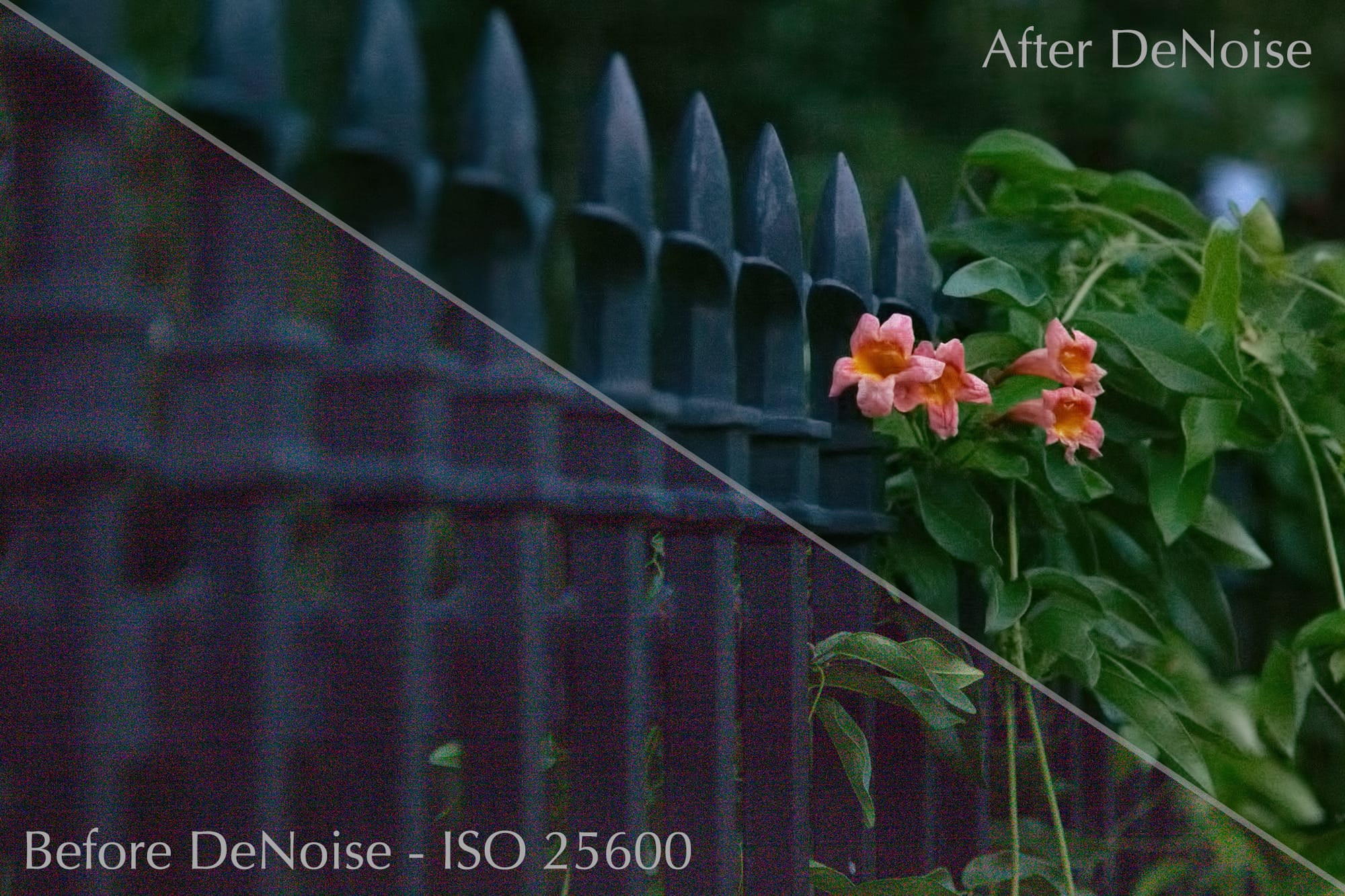
DeNoise does such a great job removing noise and restoring photos that it actually helps you to recover the details you lost during your low-light photo shoots while further enhancing the overall quality of your images.
Here are some of the awesome things you can do with this plugin.
Reduce Noise in High ISO Photos
With DeNoise installed on your computer, you can play around with the ISO settings on your camera without having to think twice about the outcome of your photographs.
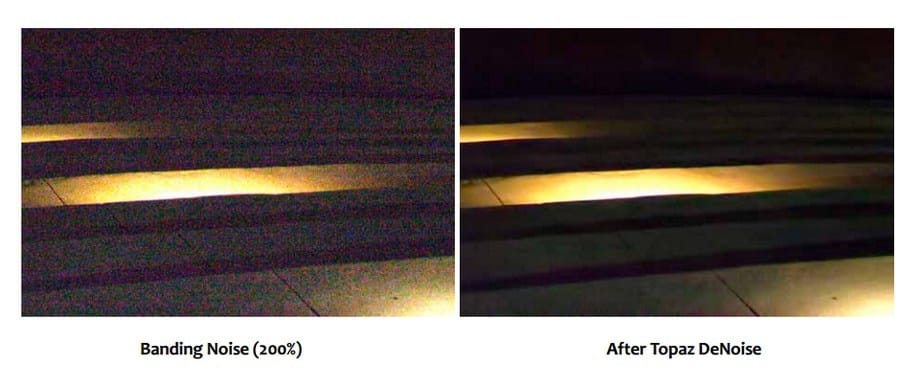
Also, in addition to noise removing capabilities, DeNoise comes packed with a set of amazing features that lets you:
- Sharpen edges and color edges.
- Smooth color unevenness.
- Eliminate horizontal and vertical banding lines.
- Banding removal.
- Correct image black levels to restore true color in black and shadow areas.
- Rescue underexposed images by removing the excessive noise that accompanies all brightening exposure adjustments.
Black Level Correction
You can’t escape the noise when taking photos in dark light conditions, such as nighttime and early mornings. No matter what you do, you’ll always end up with noise all over the dark and shadow areas.
What’s even worse is that when you remove that noise you end damaging the black levels of the image and putting the contrast of your image completely off balanced.
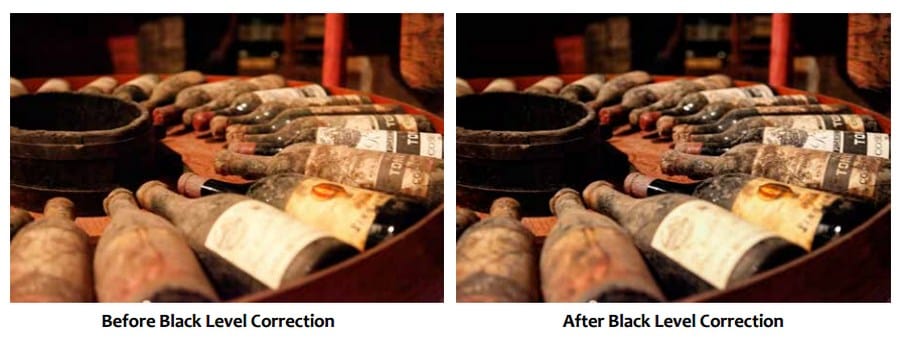
When using DeNoise, you don’t have to worry about this issue. The Correct Black Level parameter in DeNoise lets you easily get rid of the noise in shadow areas while keeping the original contrast of the black levels intact.
Process Multiple Images At Once
DeNoise now supports batch processing, allowing you to adjust the settings and run a noise clean up on multiple images in a folder.
This can be an incredibly useful and time-saving feature when you have to remove the same amount of noise in several photos at once.
It’s Beginner Friendly
You don’t have to be a Photoshop pro to use DeNoise.
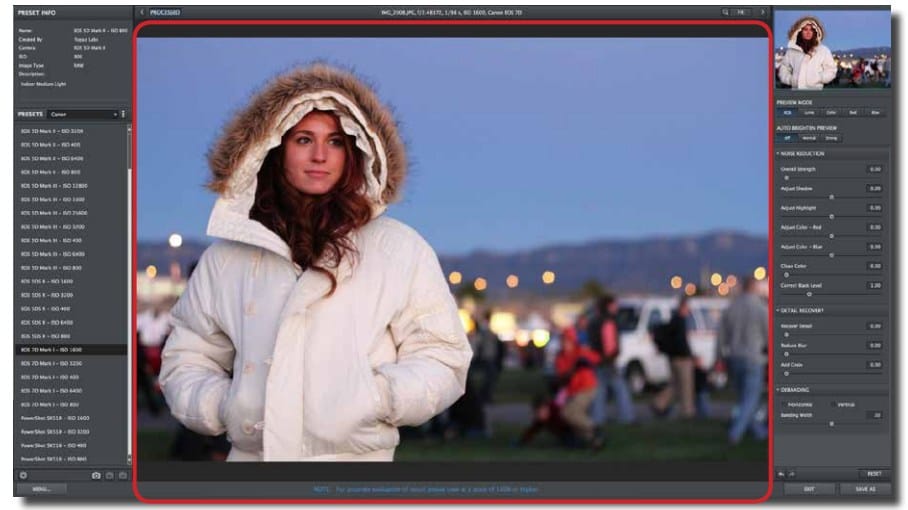
Despite the complicated look of the DeNoise interface, the app is quite easy to use. All the adjustment settings are pretty straightforward that you’ll get the hang of it in your first run on the app.
Not only that, DeNoise also comes with over a dozen of presets based on popular camera profiles and their ISO presets, letting you remove the noise in your high ISO photos with just one click.
Use It As A Standalone App
The latest version of DeNoise is capable of working all by itself as a standalone program. Which means you don’t need to have Photoshop installed on your computer to use DeNoise.
But, it can also be used as a plugin for Photoshop and Lightroom as well.
Unlike other complicated apps and plugins, DeNoise specializes in doing just one thing: Removing noise. And it does a great job at it.
There are plenty of great Photoshop plugins that promises to help improve your workflow. And Topaz DeNoise is one of the few apps that truly lives up to its promise.


